
Recorded live: Claude Code and Codex building a small app. Only the prompts are scripted.
Spaces runs your agents in persistent workspaces on your machine or a server, shows which one needs you, and lets you pick them up from your terminal, your browser or your phone.
Recorded live: Claude Code and Codex building a small app. Only the prompts are scripted.
Your agents run on the server whether or not anything is watching. These are three views of the very same sessions, not copies.
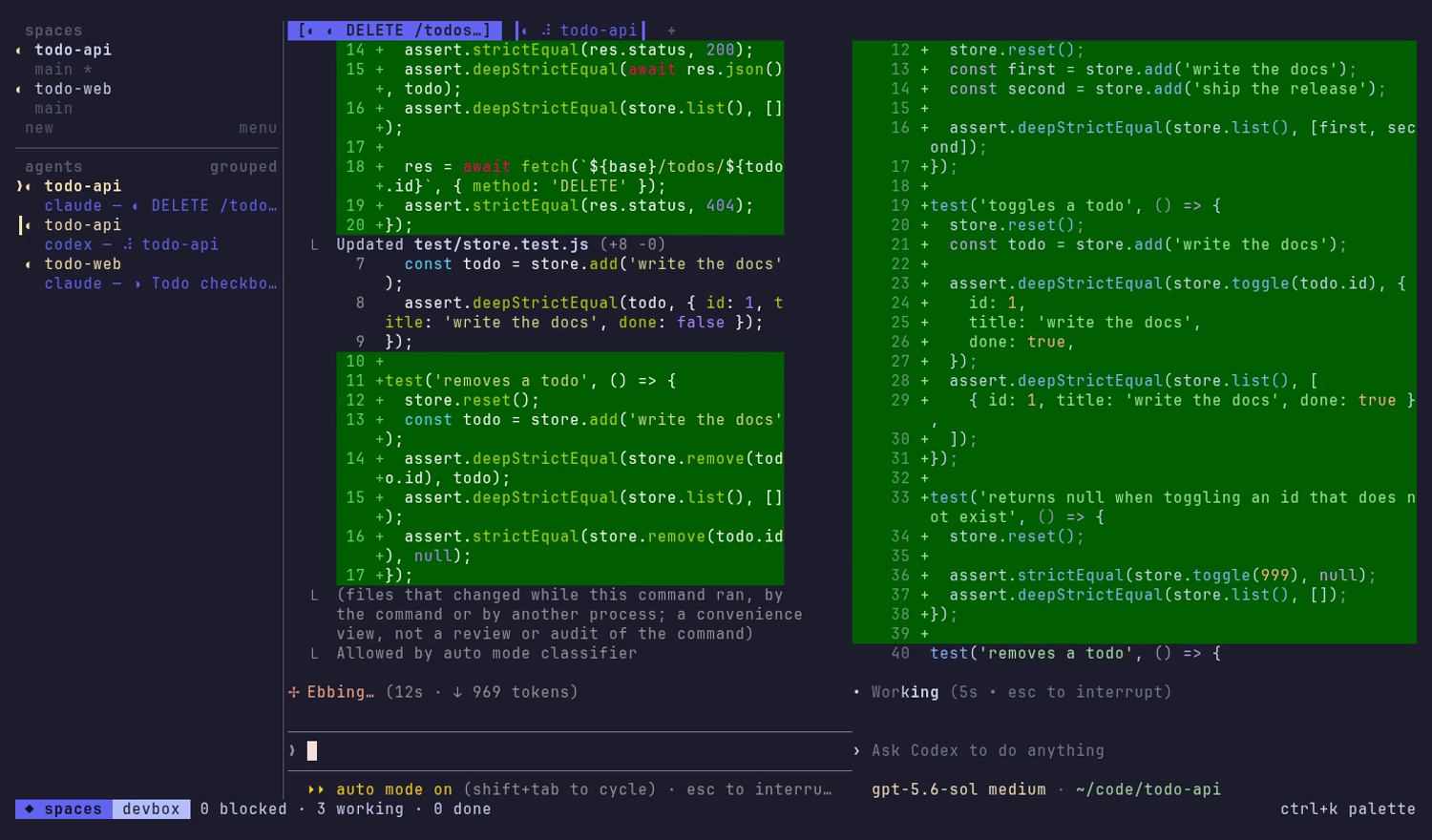
ctrl+k for everything else.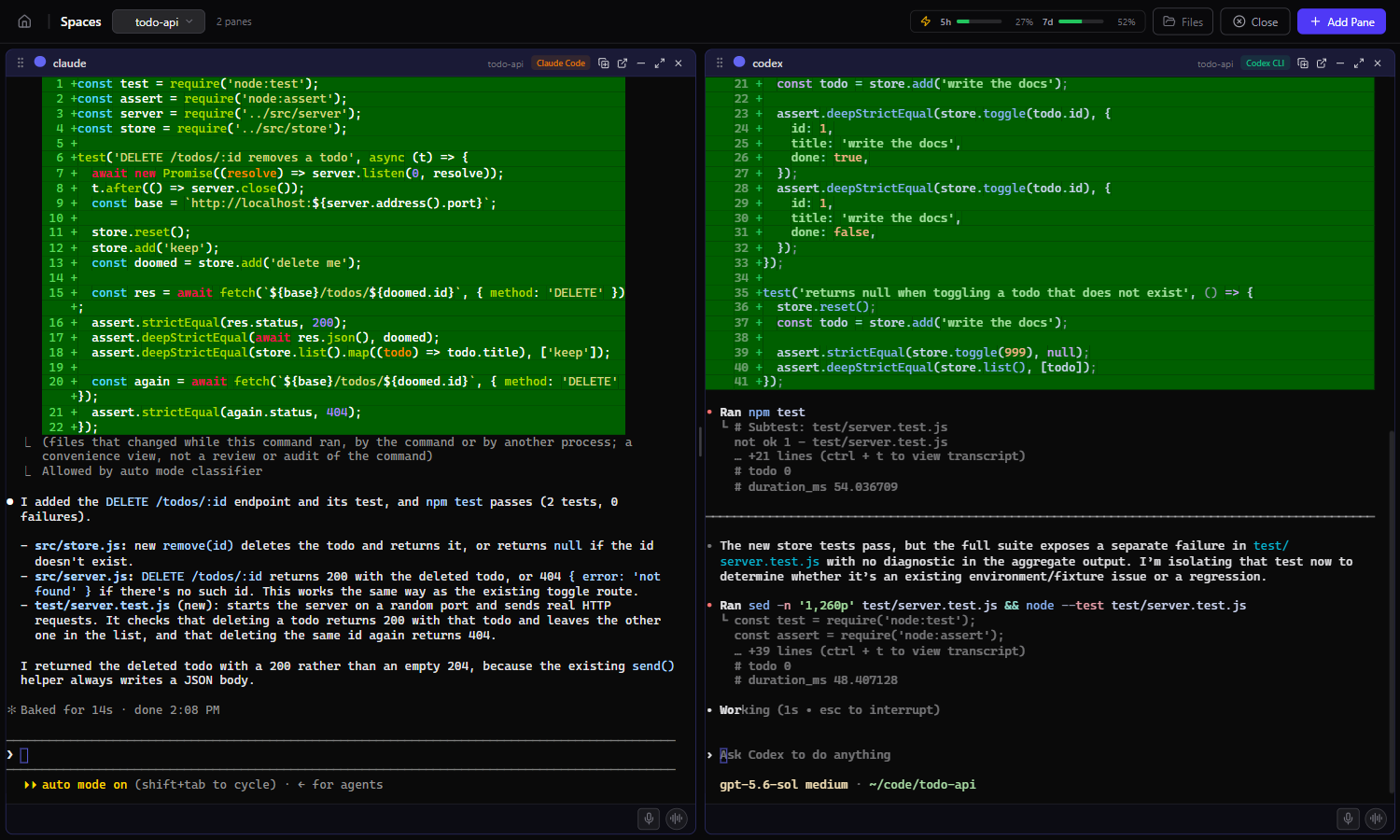
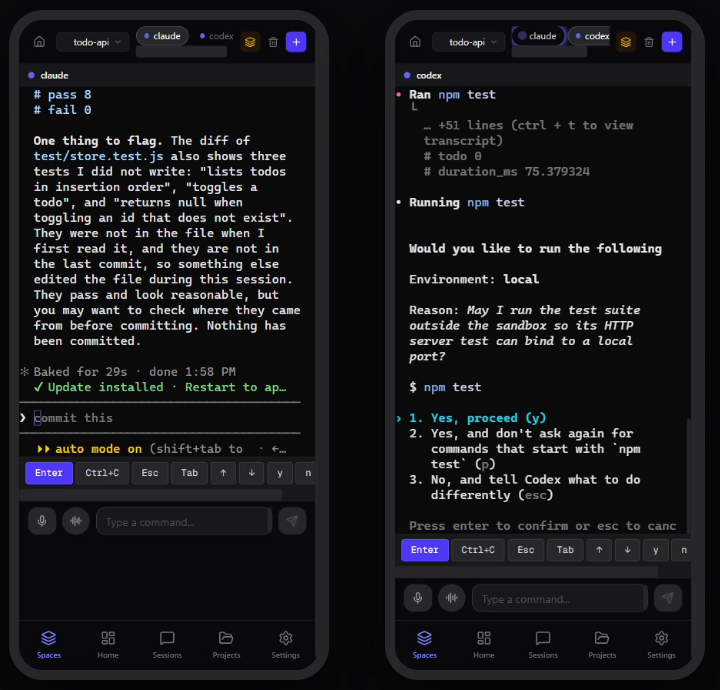
Run your agents on a box that never sleeps, and reach them from your laptop over the SSH you already have.
spaces --remote offers to install or update it first.spaces open --remote brings up the browser.Blocked, working, done or idle for every agent, toasts when one stops, and counts in the status bar.
A message bus per space: agents post what they finished, ask each other, and can ask you to approve.
Past Claude Code, Codex, Gemini CLI and Aider sessions indexed locally, with full-text search and resume.
Token use by model, an activity heatmap and cost estimates, from your own history.
Browse with a live preview, edit, upload by dragging, download whole folders, on any machine.
Loopback only, owner-only sign-in, no telemetry. Remote access rides your SSH.
tmux keeps terminals alive. Spaces does too, and also knows what each agent is doing, tells you when one needs you, shows the same sessions in a browser and on a phone, and indexes your agent history.
No. spaces runs on your own machine. A server is for when you want agents to keep working while your laptop sleeps; spaces --remote you@box sets one up in one command.
Nothing is exposed: the server listens on loopback and answers only the account that owns it. You reach it through an SSH tunnel, so the only way in is your SSH login. Agents run as you, without a sandbox.
No. There is no telemetry. It checks npm for updates and fetches agent-detection rules from this site; the agents talk to their own vendors as usual.
Windows, macOS and Linux, on Node.js 20.9 or newer. The terminal client ships prebuilt for all three.
Nothing. Spaces is open source under the Apache-2.0 license. You bring your own agent subscriptions.
Node.js 20.9 or newer. Windows, macOS and Linux.
npm install -g @jlongo78/agent-spaces
Starts the server in the background and opens the terminal client.
spaces
Installs Spaces there if it is missing, and connects.
spaces --remote you@box
On Linux the terminal library compiles during install, so you need
python3, make and a C++ compiler
(sudo apt install build-essential python3).
Full instructions are in the README.